WiSHOP QR and NFC payments let customers pay in seconds by scanning a code or tapping their phone or card, with KNET and cards supported and every transaction tracked in one place.
Chat With Us on WhatsAppCall to Book a Demo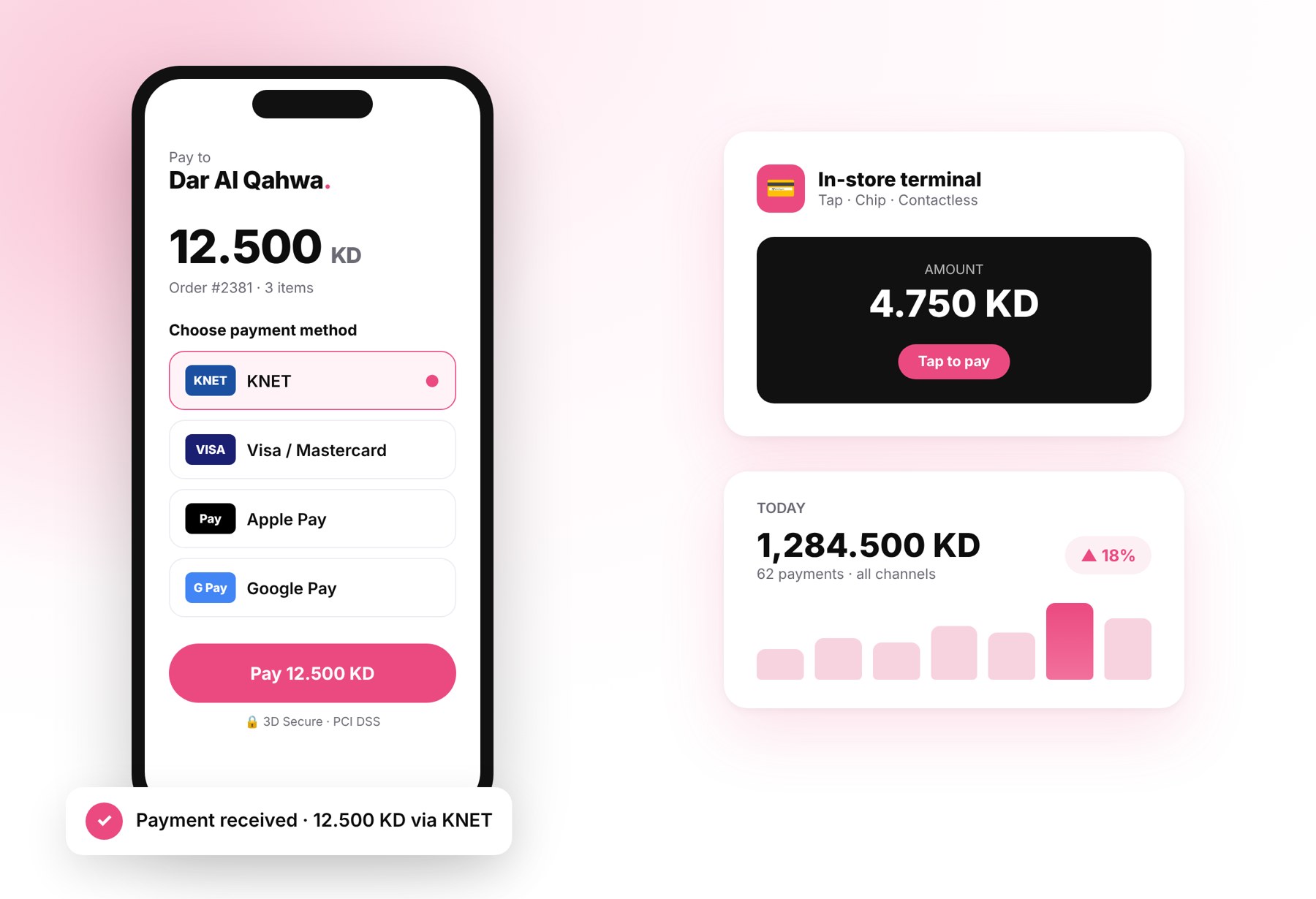
THE CHALLENGE
Customers want to pay from their phone without queues, cash or card machines. Businesses need one simple way to accept contactless payments at the table, the counter or the door, and see it all in one dashboard.
Cash counting and card terminals that lose connection slow every customer down at peak hours.
When a delivery customer or walk-in cannot pay contactless, the sale is often lost.
Know what was paid, when, and whether it came by QR or NFC, from one centralized view.
INTRODUCING WiSHOP QR & NFC PAYMENTS
WiSHOP gives businesses QR codes and NFC tap-to-pay that work with KNET and cards, all managed through a centralized dashboard.
Display a static or dynamic QR code at the counter, on the table or on the receipt. Customers scan and pay with KNET or card.
Customers tap their phone or contactless card on an NFC tag or terminal and the payment page opens instantly, no app required.
Put a QR on every table or send one with the driver, so customers pay without waiting for staff or a card machine.
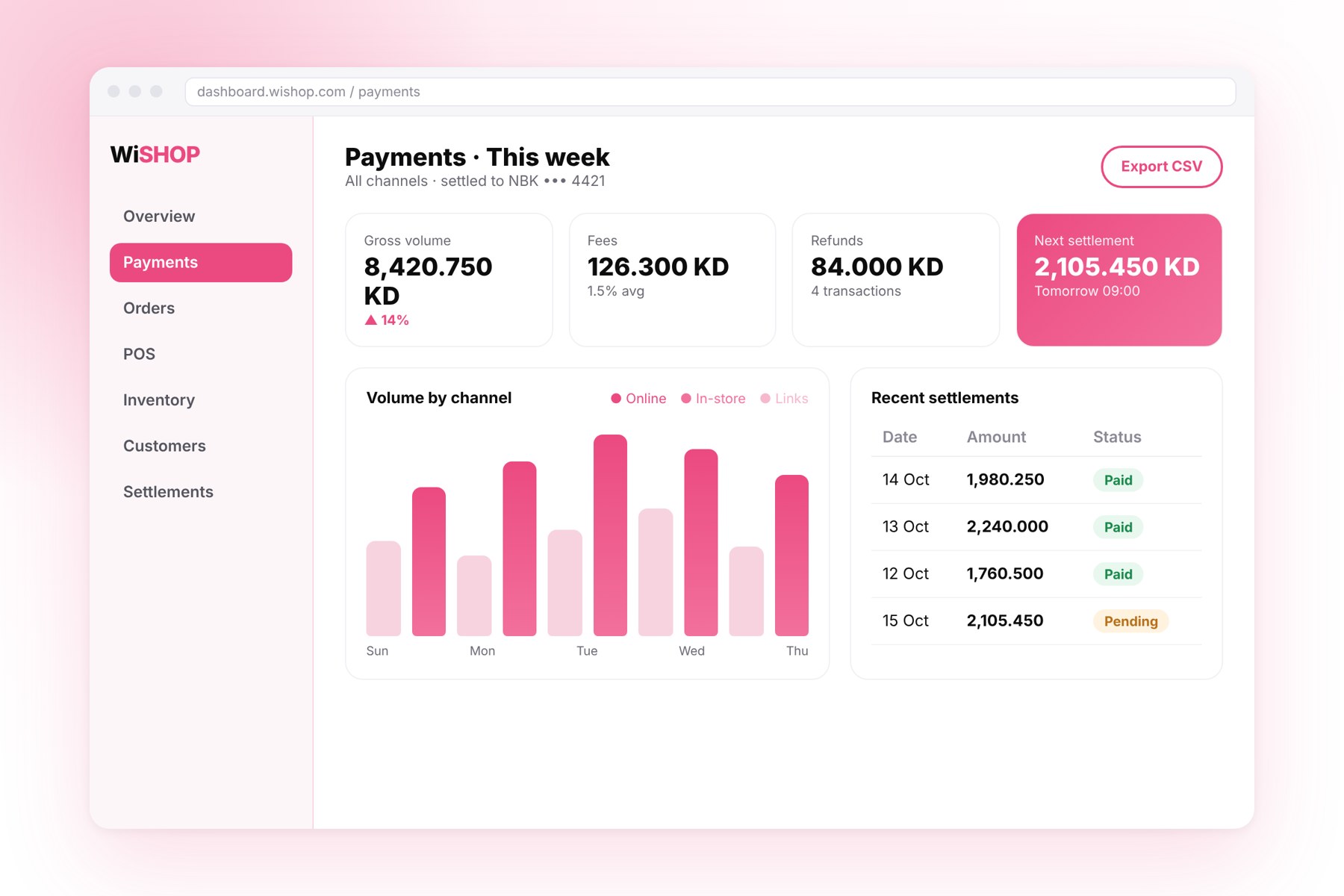
See every QR and NFC transaction, settlement and refund in one dashboard.
PAY THE WAY CUSTOMERS PREFER
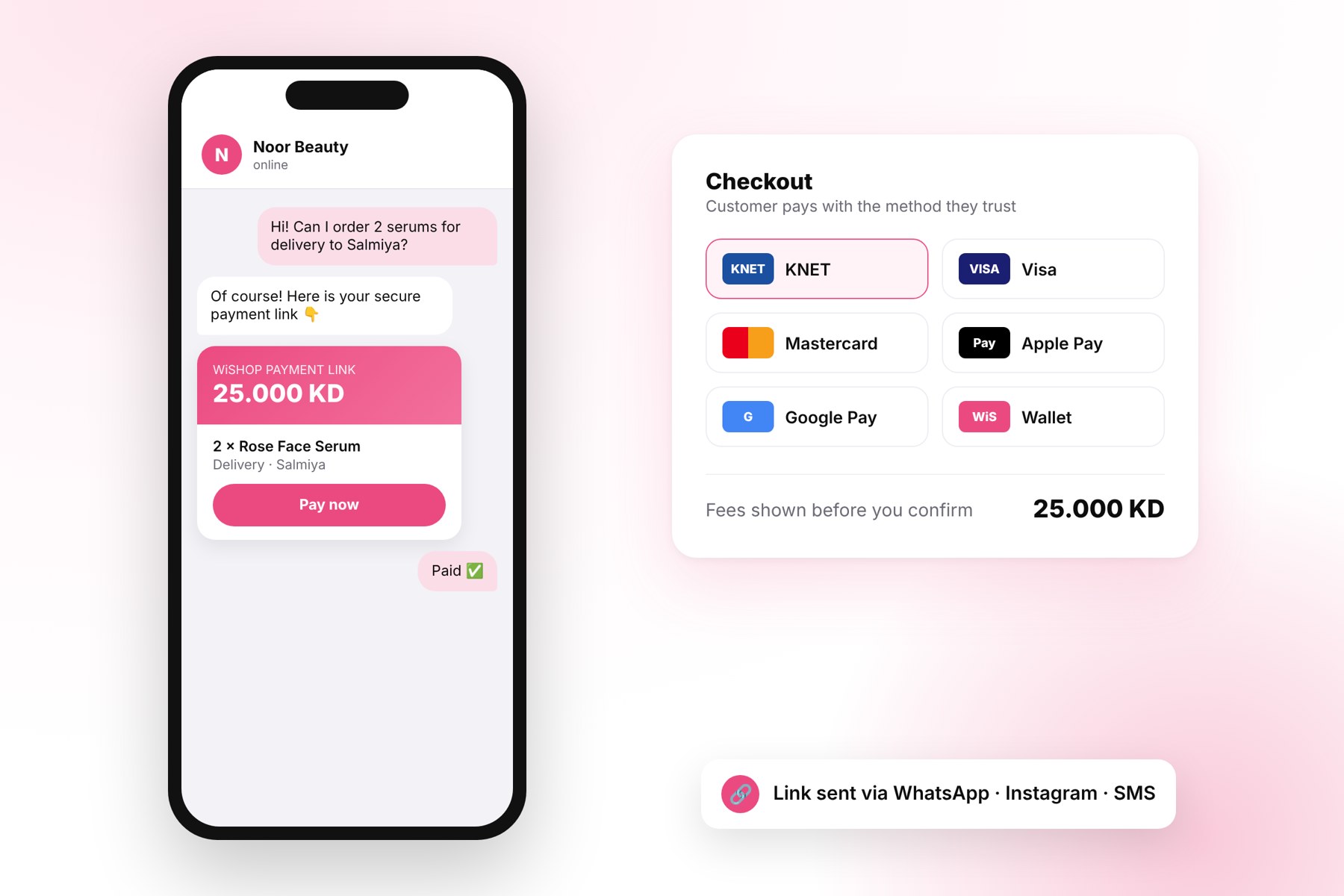
Customers in Kuwait expect KNET first. WiSHOP QR and NFC payments support KNET alongside Visa, Mastercard, Apple Pay and Google Pay, so the customer pays with whatever is already on their phone and no sale is lost at checkout.
HOW IT WORKS
A simple flow from the moment a customer scans or taps to the moment the money reaches you.
Display your QR code or NFC tag at the counter, on the table or with the order.
The customer scans the code or taps their phone or contactless card.
They confirm the amount and pay with KNET, Apple Pay or card in seconds.
The payment is confirmed instantly in your WiSHOP dashboard and POS.
Funds are settled to your business account on schedule, with every transaction itemised.
WiSHOP covers QR codes, NFC tap-to-pay, payment links and invoices, with one settlement and one dashboard.
Print a fixed QR code for your counter, or generate a unique QR per order with the exact amount already filled in.
Place NFC tags on tables, counters or packaging. A tap opens the payment page on the customer's phone with no app to install.
Create a secure link in seconds and send it over WhatsApp, Instagram or SMS. Perfect for social sellers and custom orders.
Issue branded invoices, collect deposits for bookings or bulk orders, and track who has paid without chasing by phone.
Process full or partial refunds from the dashboard and let customers split a bill across several payment methods.
Every transaction is screened and card payments use 3D Secure, so you are protected from chargebacks and your customers feel safe.
QR payments, NFC taps, online orders and payment links all land in one report. Track daily settlements, fees and refunds, export for your accountant, and know exactly what each channel brought in.
No more reconciling three statements from three providers at the end of the month.
Local payment methods, local support and local settlement, inside the same platform that runs your store.
KNET is the payment method Kuwaiti customers trust most. It is included from day one, alongside international cards.
QR and NFC payments, website, POS and inventory are one system. No integrations to maintain and no data falling through the gaps.
A printed QR code or an NFC tag is all it takes. No card machines to rent, charge or repair, and no connection drop-outs at the counter.
A Kuwait-based team that answers in Arabic or English, on WhatsApp, when a payment question cannot wait.
Scan or tap, at the counter, the table or the door, with one account and one dashboard. Talk to our team today.
Chat With Us on WhatsAppCall to Book a Demo

