A complete point-of-sale solution that helps businesses process sales, accept payments, track inventory, and understand performance — all from one place.
💬 Chat With Us on WhatsApp📞 Call to Book a Demo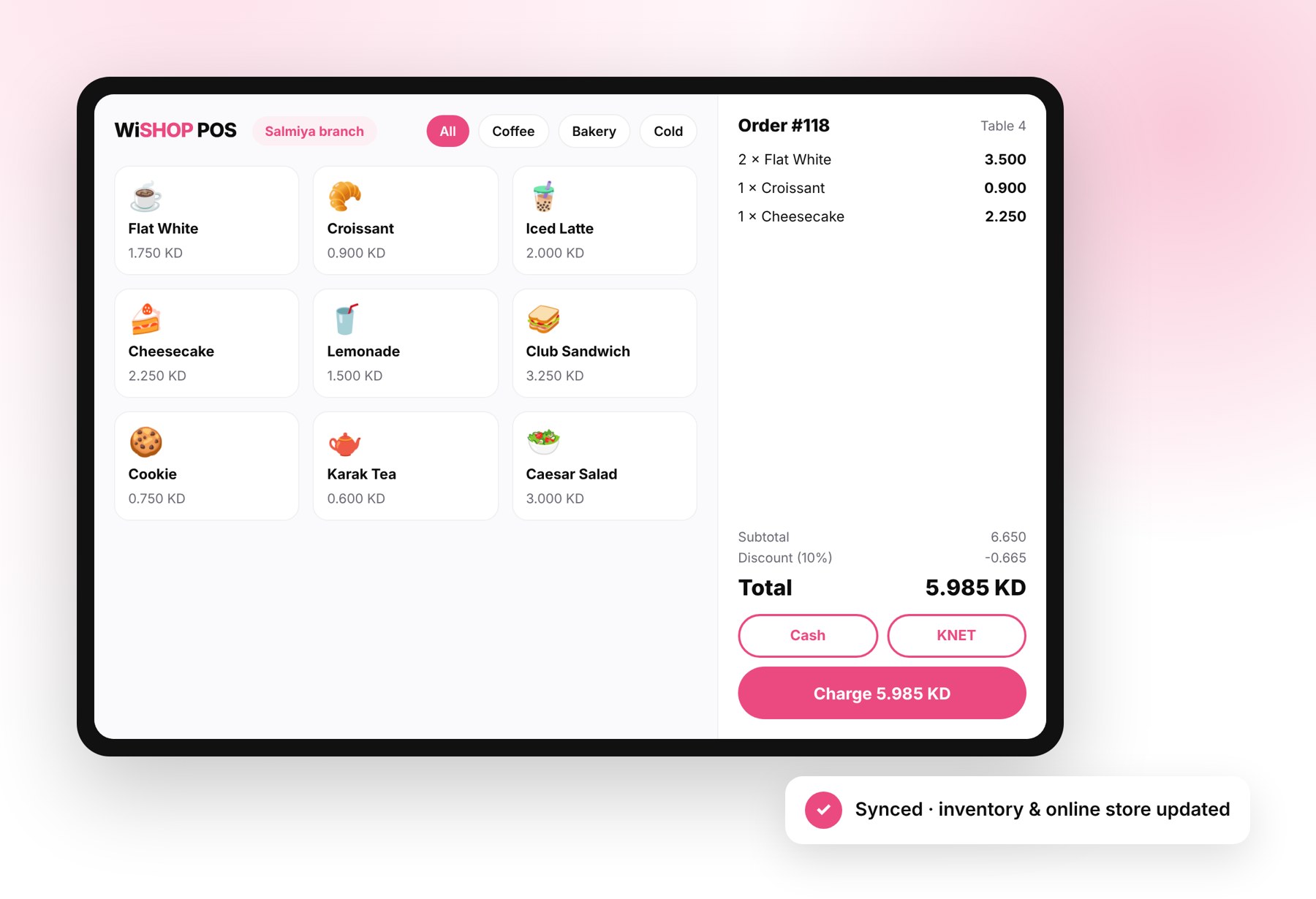
THE CHALLENGE
Taking payments is only the first step. Businesses also need a simple way to track sales, manage inventory, coordinate branches, and understand performance — without juggling disconnected tools.
Avoid managing your sales, inventory, payments, and reporting across disconnected tools.
Know what is happening across your counters and stock through centralized reporting and insights.
Give customers a faster checkout experience as your business and branches grow.
INTRODUCING WiSHOP POS
WiSHOP POS gives businesses a point-of-sale system to process orders, accept payments, track stock, and manage operations through a centralized dashboard.
Scan products, apply discounts, and print or send digital receipts from the counter in seconds.
Track stock levels in real time — inventory updates automatically with every sale.
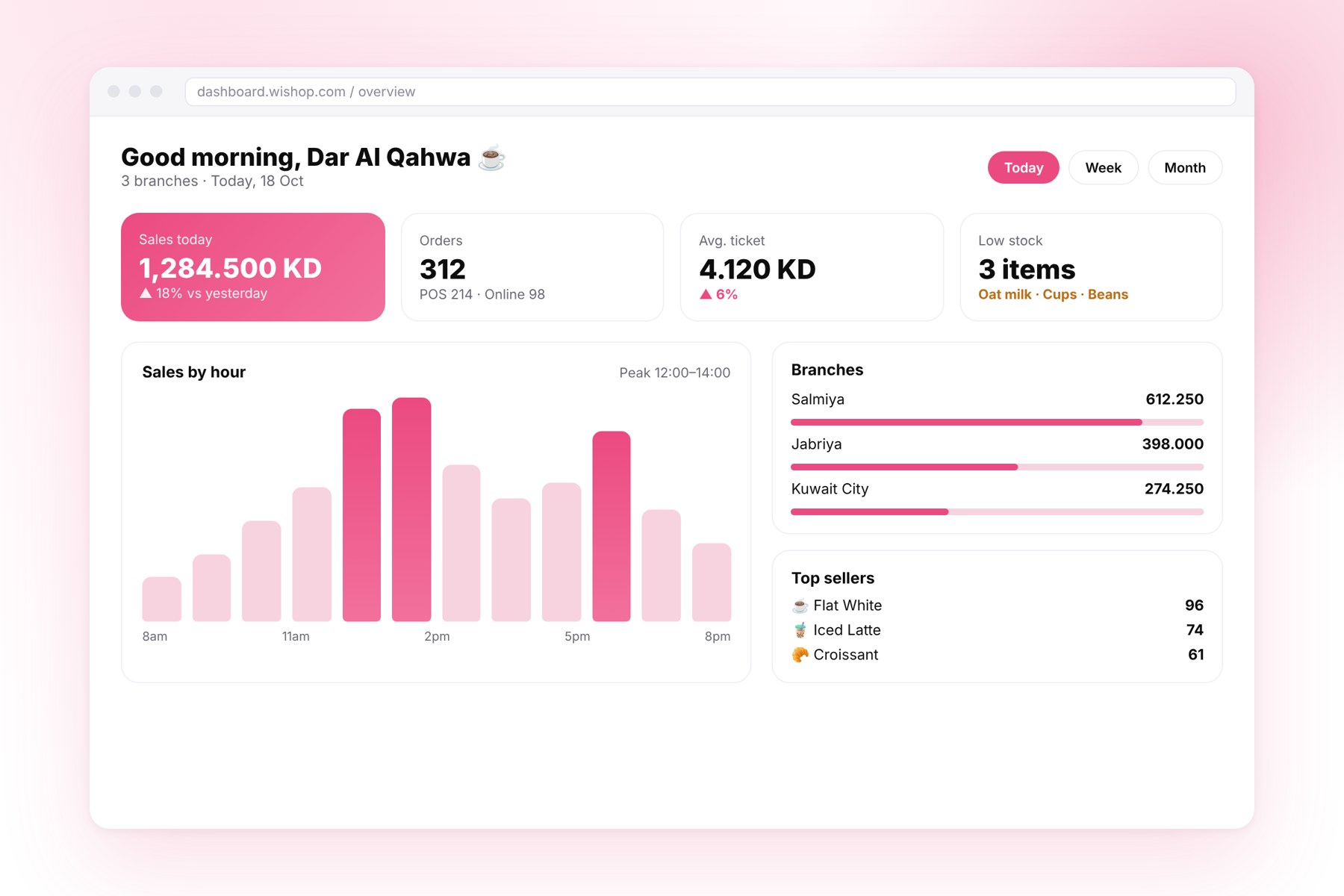
Manage your POS operations and branches from one dashboard.
Access detailed information about sales performance to support better business decisions.
ONE CONNECTED PLATFORM
From checkout to stock control to reporting — every piece works together out of the box.
Take orders, apply discounts, and complete sales quickly with an interface your team can learn in minutes.
Accept cash, KNET, and credit cards — the payment methods your customers in Kuwait actually use.
Track stock levels and product usage in real time, with inventory connected to every sale.
Manage sales and inventory across branches from one centralized dashboard.
Connect your POS with WiSHOP E-Commerce so orders and stock stay in sync across channels.
Access detailed reports to understand sales performance and support data-driven decisions.
Send a secure payment link by WhatsApp or SMS and let customers pay remotely, with the sale recorded in your POS.
Assign delivery orders to Wiyak drivers from the counter and track every order until it reaches the customer.
Map your floor, assign orders to tables, split or merge bills, and see which tables are open at a glance.
Keep customer profiles, purchase history, and contact details in one place to serve regulars faster and bring them back.
Search and review any previous order, reprint receipts, and handle returns or exchanges without leaving the POS.
BEHIND THE COUNTER
Orders, stock levels, branch performance, and best-sellers — everything you need to run the business sits in one centralized dashboard, updated with every sale.
WHY WiSHOP POS
WiSHOP POS brings the key parts of selling in-store into one connected ecosystem.
Speed up checkout and reduce queues with a simple, reliable POS.
Connect your counter with inventory, payments, reporting, and other WiSHOP tools.
Use reporting and insights to understand what sells and when.
Add branches and channels on a system that can grow with your business.
FAQS
Run your counter with WiSHOP POS and bring sales, payments, inventory, and business insights together in one connected experience.
💬 Request a Demo📞 Talk to Our Team

